
Change Your Working Key
How to Reset a Kwikset SmartKey Lock
Call us for help with a Kwikset SmartKey reset if neither key turns. For a routine change to a different key, keep the door open and use the owner procedure below with your current working key.
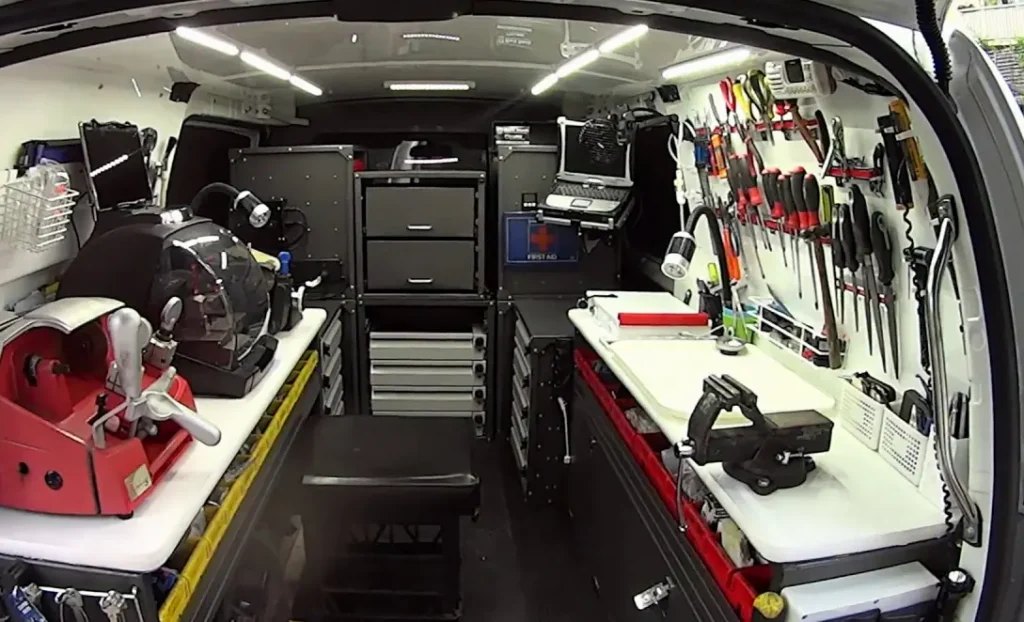
- Mobile service at your door
- Open 24 hours a day
- 1-year warranty on our work
A Kwikset SmartKey Reset Requires a Working Key
- Your current working key — This procedure changes the physical key that operates a lock you own. You need the key that currently turns its cylinder; a key that only slides into the keyhole does not meet that requirement.
- A compatible replacement key — Have the different key you want the lock to accept ready before starting. SmartKey rekeying requires a compatible key; matching the key’s general appearance alone does not establish compatibility.
- The manufacturer’s rekeying accessory — Have the rekeying accessory supplied for your lock ready beside both keys. The procedure uses the small rekeying opening beside the keyhole, with the current key held in a specific position.
- An open door and the correct instructions — Keep the lock installed and prevent the door from closing during the change. The sequence below reflects Kwikset’s published owner instructions; for models that differ, find the model’s manual through [Kwikset support](https://www.kwikset.com/support).
Rekey Your SmartKey Cylinder With the Door Open
- Open the door and set the lock — Open the door fully and secure it against closing. Extend the deadbolt into its locked position while the door remains open; for a keyed knob or lever, set it to the locked position.
- Insert and turn the current key — Insert your current working key completely. Turn it 90 degrees clockwise, a quarter turn from its starting position, and leave it there.
- Insert and remove the rekeying accessory — Insert the manufacturer’s rekeying accessory fully and firmly into the small opening beside the keyhole. A click can be felt during insertion. Withdraw the accessory while leaving the current key in position.
- Exchange the keys — Remove the current key, then insert the replacement key completely. Its shoulder must reach the indentation at the cylinder face; do not begin turning with the key partly inserted.
- Turn the replacement key counterclockwise — Rotate the replacement key 180 degrees counterclockwise, a half turn. Keep it fully seated without pushing it inward or pulling it outward during the rotation.
- Turn clockwise and check retention — Rotate the replacement key 180 degrees clockwise. Gently pull it in this position to check that it stays in the cylinder; stop the procedure if it comes out.
- Return the key to its starting position — Turn the replacement key 90 degrees counterclockwise to the original starting position. Remove it there, rather than trying to withdraw it between positions.
- Test the replacement key before closing — Reinsert the replacement key and operate the lock with the door still open. Check that it locks and unlocks, then test the previous key without forcing it; the previous key should no longer operate the cylinder.
Need help now? (424) 622-8473
Why a SmartKey Lock Stops Turning After Rekeying
The replacement key was not fully seated
Kwikset identifies incomplete insertion as a common cause of incorrect cylinder programming. Stop if the replacement key will not turn after the change; forcing it does not correct its seating during the earlier step.
The key moved inward or outward
Pulling, pushing or tilting the key during rotation can misprogram the cylinder. Both keys failing afterward is a reason to stop the owner procedure and request professional help.
The key came out during the retention check
The replacement key must remain captured at that point in Kwikset’s sequence. Its removal there means the check failed, even if the earlier turns felt normal.
The cylinder turns in only one direction
Kwikset treats one-direction operation after rekeying as a separate troubleshooting condition. Leave the door open and stop before relying on the lock to secure the entrance.
Call for SmartKey Rekeying When the Owner Procedure Fails
Call a professional when your current key is missing, neither key turns after an attempt, or the replacement key fails the retention check. Leave an open door open until the lock operates correctly, and avoid further forced turns. We provide mobile lock rekeying, lock repair and lock changes, so the work comes to your door. See our Kwikset SmartKey rekeying and repair page, or contact us for service.
Need help now? (424) 622-8473
Frequently asked questions
Can I reset my SmartKey lock without its current working key?
The owner rekeying procedure requires the key that currently operates the cylinder. Having a replacement key alone does not let you complete it. We offer mobile locksmith service when a missing working key prevents you from using this procedure.
Should my old key still work after a SmartKey reset?
After a successful change to a different key, the previous key should no longer operate the cylinder. If it still turns the lock, the change has not achieved the intended result. Request professional rekeying before treating that previous key as disabled.
Can I change several SmartKey locks to use one key?
Each cylinder must accept the chosen compatible key and be rekeyed separately. Changing the front door lock does not change another lock elsewhere on the property. We offer lock rekeying when you want professional service for multiple locks.
Does a failed SmartKey reset mean I need a new lock?
A failed attempt can leave the cylinder incorrectly programmed, so failure alone does not establish that the entire lock needs replacement. Stop repeating the sequence when neither key operates it. Our services include rekeying, lock repair and lock changes.
SmartKey Reset Failed? Get Mobile Locksmith Help
Request service for a key that will not turn or a rekeying attempt that failed its checks. We come to your door.